Best Software for Contract Testing Labs: What to Look for in a LIMS

Contract testing labs manage more than samples and test results. Customers bring different testing requirements, deadlines, reporting expectations, and pricing agreements. Your software needs to connect sample receipt with the final invoice.
What is the best software for a contract testing lab? For labs performing routine testing for external customers, a laboratory information management system (LIMS) is typically the best starting point. Look for a LIMS that manages sample intake, testing, quality control, reporting, client communication, and billing. QBench offers these capabilities through a configurable cloud-based LIMS, with its Customer Portal and billing module available in higher-tier plans.
Contract testing spans environmental, food and beverage, materials, and manufacturing labs. All need to deliver traceable results to external customers.
What Software Does a Contract Testing Lab Need at Each Step?
Evaluate software against an actual customer order, not just a feature list.
1. Track Samples From Intake to Disposal
When a customer submits samples, your team needs to know what arrived, which tests were requested, what condition the samples were in, and when results are due. Keep that information connected through preparation, testing, review, and disposal.
For example, a food testing lab might receive routine nutritional samples alongside rush contaminant testing. They need different procedures and deadlines even when they arrive together.
QBench supports configurable sample fields, barcode labels, locations, and status tracking. Orders, samples, and tests can share records. Your receiving procedures still need to document incoming submissions and sample condition. Storage restrictions, retention requirements, multiple containers, and rejected or resubmitted samples also need a clear place in the record. That context helps analysts understand what they are handling and gives reviewers the history behind each result.
2. Handle Higher Sample Volumes Without Losing Visibility
As volume grows, individual record entry and manual status updates become harder to manage. The goal is efficient intake, consistent assignments, and visibility into unfinished work.
Useful capabilities include bulk data imports, batch organization, configurable workflows, and filtering. Instrument data transfer can reduce re-entry, but an API alone does not guarantee a ready-made connection to a particular instrument.
QBench includes batches, Excel import/export, dashboards, and configurable automations in its core offering. File-parser instrument integrations and API access are listed in Growth and higher plans. Effective batch handling should make incomplete records visible and allow corrections without losing the relationships among orders, samples, and tests.
3. Maintain a Defensible Chain of Custody
A chain of custody record shows who touched a sample, when, where it was stored, and what was done to it. If a client disputes a result, that record helps demonstrate how the sample was handled.
Custody procedures should define the events to document, including receipt, transfers, storage, preparation, and disposal. Records need to reflect those events as they occur, rather than being reconstructed after testing.
QBench tracks samples by barcode, records their location, controls access with role-based permissions, and logs history entries. Formal custody transfers, signatures, and specific audit records may need additional configuration. History entries and the Enterprise Audit Trail are separate offerings and should not be treated as the same thing. Picture a sample moving from receiving to storage to an analyst. At each step, you need to know who handled it, what they did, and when.
Our chain of custody implementation guide covers the procedures and documentation to evaluate alongside the software.
4. Standardize Methods and Quality Control
Contract labs often perform the same test for several clients or use different methods for similar sample types. Staff need the correct procedure, calculation records, controls, and review history.
A LIMS should support repeatable methods and exceptions through test panels, defined procedures, worksheets, calculation controls, and review steps. Failed controls, repeat analyses, and out-of-specification results need documented resolution before reporting. A warning on screen is not the same as a required review step; the workflow should reflect your lab's procedures.
QBench provides protocols, panels, worksheets, calculations, controls, and control charting. Its integrated Quality Management System (QMS), included in Advanced and higher plans, adds document control, training sets, equipment management, and corrective and preventive action (CAPA) records. These capabilities support lab processes; they do not replace technical review or method validation.
For labs working under ISO/IEC 17025:2017, Clause 7.11 addresses laboratory data and information management. The standard does not require a LIMS. If your lab uses computerized systems, it remains responsible for verifying that they perform correctly for their intended use, including relevant calculations and data transfers. A2LA's guidance on laboratory automation provides additional context.
5. Produce Reports and Certificates of Analysis
Testing is not complete for the customer until the required results have been reviewed and delivered. A contract lab may need different report layouts, identification fields, statements, or certificates of analysis (COAs) depending on the testing program and customer agreement.
A report can call for method references, units, limits, comments, and approvals. Two customers may also want different COA layouts for the same test. Templates need to flex to cover both, while every version still pulls from the same approved result instead of a copy in a separate document.
QBench supports no-code report templates, PDF and CSV output, automated COA generation, and configurable report distribution. Your lab still controls review and result release. The reporting workflow should accommodate the formats customers require while keeping the connection to the approved results.
6. Give Customers Access Without More Email Chains
Customers need to submit requests, check status, and download released reports. Handling each request by phone or email repeats administrative work.
A customer portal connected to the LIMS can make that information available without maintaining a separate status spreadsheet. QBench's Customer Portal supports remote sample submissions, sample status visibility, and PDF report downloads. Clients access information from QBench records, reducing manual transfers.
The portal is available in Growth and higher plans. Customer access requires appropriate permissions, defined rules for result release, and a process for corrections. Amended orders, cancelled tests, and results awaiting approval need clear handling, too. The goal is to give clients useful self-service access without exposing another client's records or releasing results prematurely.
Our customer portal guide goes deeper into configuration and client-facing workflows.
7. Monitor Turnaround Time and Bottlenecks
Turnaround time (TAT) requires a consistent definition. Some labs measure it from receipt, others from sample acceptance; the end point may be testing completion, technical approval, or report delivery. Use a definition that matches your service commitments.
Once the definition is consistent, you can identify where orders wait. Delays may occur during intake, instrument availability, testing, technical review, or report delivery. A LIMS should make each stage visible.
QBench supports order, sample, and test statuses and configurable workflow automations. These tools support TAT monitoring, but they cannot guarantee a deadline. For a broader measurement framework, see 45 Lab Metrics You Need to Track.
8. Turn Customer Orders Into Accurate Invoices
For a contract lab, reporting results is not the end of the workflow. Your team must also account for the services ordered and apply the pricing agreed with each customer.
A single invoice may involve individual assays, panel prices, volume discounts, rush surcharges, and applicable taxes. Separate pricing sheets can mean manual lookups, missed charges, or inconsistent invoice lines.
QBench Billing can generate invoices from submitted orders and supports customer-specific assay and panel pricing, quotations, percentage-based or flat-rate discounts and surcharges, and taxes. It also supports applying payments to invoices and viewing paid and reconciled invoices. Billing is included in Advanced and higher plans.
QBench's QuickBooks Online integration supports syncing invoices from QBench to QuickBooks Online and payment information back to QBench. Setup and a separate integration subscription are required. The linked integration page explains the synchronization details; other accounting integrations may work differently.
Which Type of Lab Software Should You Choose?
A LIMS is usually the operational center for routine contract testing, but other software categories may still have a role:
Research-focused contract labs may use an ELN alongside a LIMS; a QMS complements sample management. See Which Lab Software Do You Actually Need? for the full comparison.
Why Consider QBench for Contract Testing Labs?
QBench is a cloud-based LIMS that brings configurable sample and test workflows together with reporting, client communication, and billing options. For a lab handling both testing and customer service, these workflows stay connected in one system. Configurable fields, views, report templates, and no-code automations let lab staff adjust routine workflows on their own. More complex integrations or modifications may require technical services.
Foundation includes core orders, samples, tests, reports, worksheets, and no-code configuration. Growth adds the Customer Portal, API, and file-parser instrument integration. Advanced adds Billing and an integrated QMS. The current QBench pricing page outlines plan inclusions; integration subscriptions and implementation services may be additional considerations.
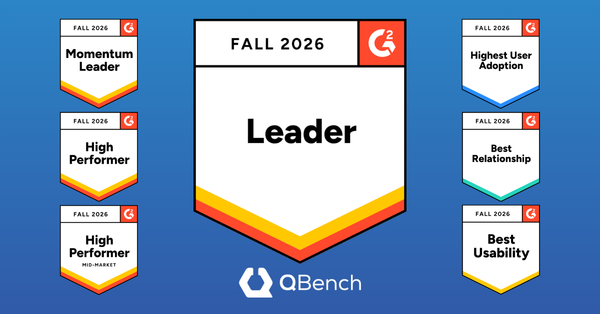
In G2's Fall 2026 LIMS reports, QBench ranked #1 on the Grid Report and Usability Index. Rankings complement, rather than replace, workflow evaluation. Review the Fall 2026 results.
How Are Contract Testing Labs Using QBench?
LEX Scientific: This environmental testing lab replaced an aging custom LIMS while preparing for an ISO 17025 accreditation audit and went live with QBench in 29 days. Context is important here. Lab Manager Tom Keeling had already implemented QBench at four previous organizations. He kept the initial scope deliberately narrow, mostly recreating established fields, workflows, and report formats rather than redesigning how the lab operated. The 29-day result reflects that experience and defined scope, not a typical or guaranteed implementation timeline. Read the LEX Scientific case study.
Light Labs: The food testing lab needed configurable testing processes, API access, and a customer-facing way to share results. Its published story describes starting with a simple setup and expanding it as the lab's work became more complex.
Anresco Laboratories: In a published testimonial, Vice President and COO Zachary Eisenberg highlights QBench's configurability, API, customer support, and ability to accommodate changing customer and regulatory requirements. His comments appear on QBench's pricing page.
Results will depend on your lab's requirements.
What Should You Ask During a LIMS Evaluation?
Use a real customer order to evaluate each LIMS, including an exception rather than only a straightforward transaction. Have the vendor demonstrate the workflow from intake through sample handling, testing, review, COA release, and invoicing.
Include the operational details that matter to your lab: a rejected or resubmitted sample, a high-volume batch with incomplete records, a custody handoff, a failed control, and different report layouts. Then work through customer permissions, an amended order, a rush surcharge, and an accounting-sync problem. These scenarios reveal more than a standard feature demonstration.
Determine which fields, workflows, and report templates your team can configure independently and when technical services are needed. Implementation planning should also cover legacy-data migration, integration setup, staff training, and software validation where applicable. All of these affect project scope and timing.
Request an itemized estimate for subscriptions, integrations, implementation assistance, training, and ongoing administration. Compare the total cost of running the system, not just the software subscription.
Ready to Compare LIMS Options?
Identifying your contract lab's requirements is the first step. The next is comparing vendors on flexibility, deployment, integrations, usability, automation, and implementation, not just a list of features.
Our free LIMS Buyer's Guide covers those six evaluation factors so you can build a shortlist around your lab's workflows, staffing, and budget.
Download the Free LIMS Buyer's Guide to make a more informed software decision.
Frequently Asked Questions
What is the best software for a contract testing lab?
For most labs providing repeatable testing services to external customers, a LIMS is the best starting point. Compare sample tracking, reporting, customer access, and billing using your workflow.
What does a contract testing lab need from a LIMS?
Look for sample tracking, traceable records, consistent methods, quality review, COA reporting, and TAT visibility. Client portals and customer-specific invoicing also matter.
What is a LIMS customer portal?
A portal connects clients to lab records. Depending on permissions, they can submit requests, see sample statuses, and download released reports.
How can contract labs reduce turnaround time?
Define TAT consistently, identify where work waits, and monitor delays in intake, testing, review, and reporting. A LIMS provides status visibility; the lab must address underlying bottlenecks.
Can a LIMS handle customer billing and invoicing?
Yes, when the selected LIMS includes billing functions. QBench supports order-based invoice generation, customer-specific pricing, quotations, taxes, and accounting integrations in applicable plans.
How do contract labs maintain chain of custody?
Document sample receipt, transfers, storage, testing, and disposal according to your procedures. Use unique identifiers and verify the software captures the required custody evidence.
Does a contract testing lab need an ELN?
Not necessarily. Routine testing typically centers on LIMS workflows. Add an ELN for exploratory research or nonstandard experimental records.